 Auramy
New in 1.1
Share with any phone, and three new Pro themes
Share with any phone
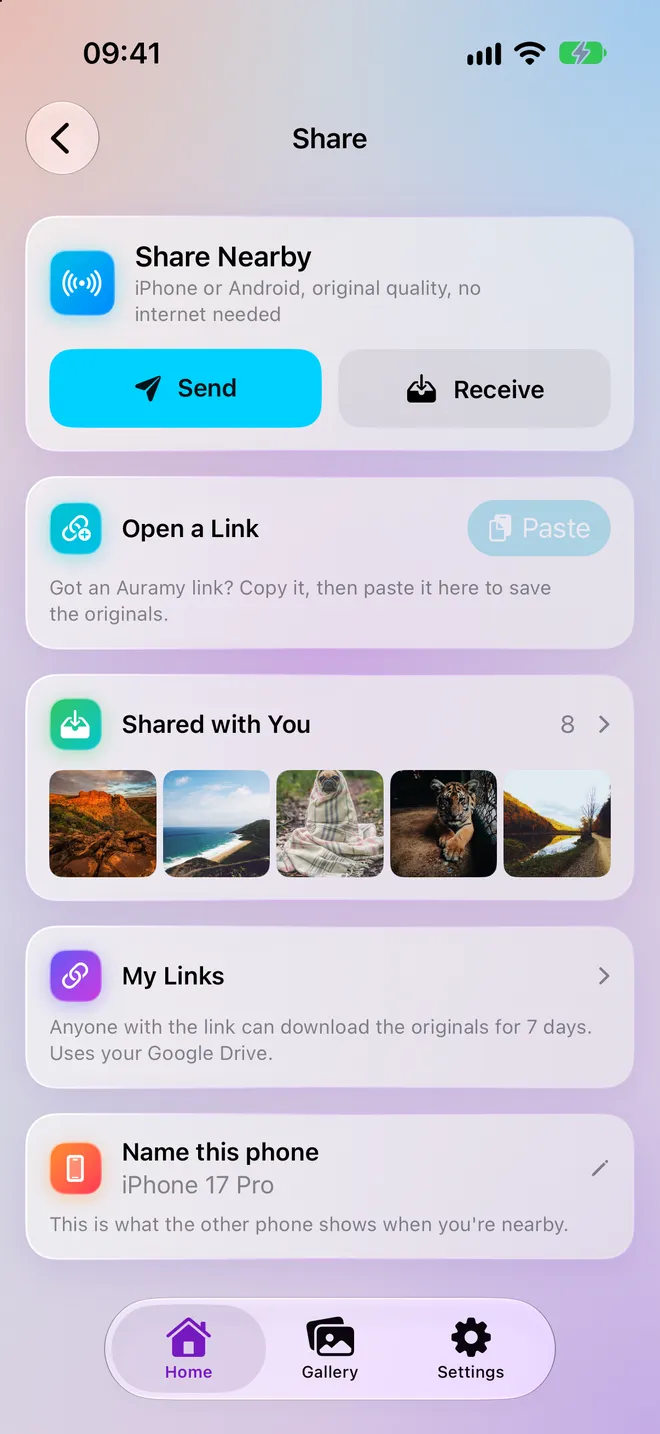
Send photos and videos to an iPhone or Android next to you, in original quality — no internet, no account, no compression.
Share by link
Create a 7-day link through your own Google Drive. Anyone can download the originals in Auramy or a browser.
Shared with You
Everything you receive lands in its own gallery category, and backs up to Drive like the rest.
Three Pro themes
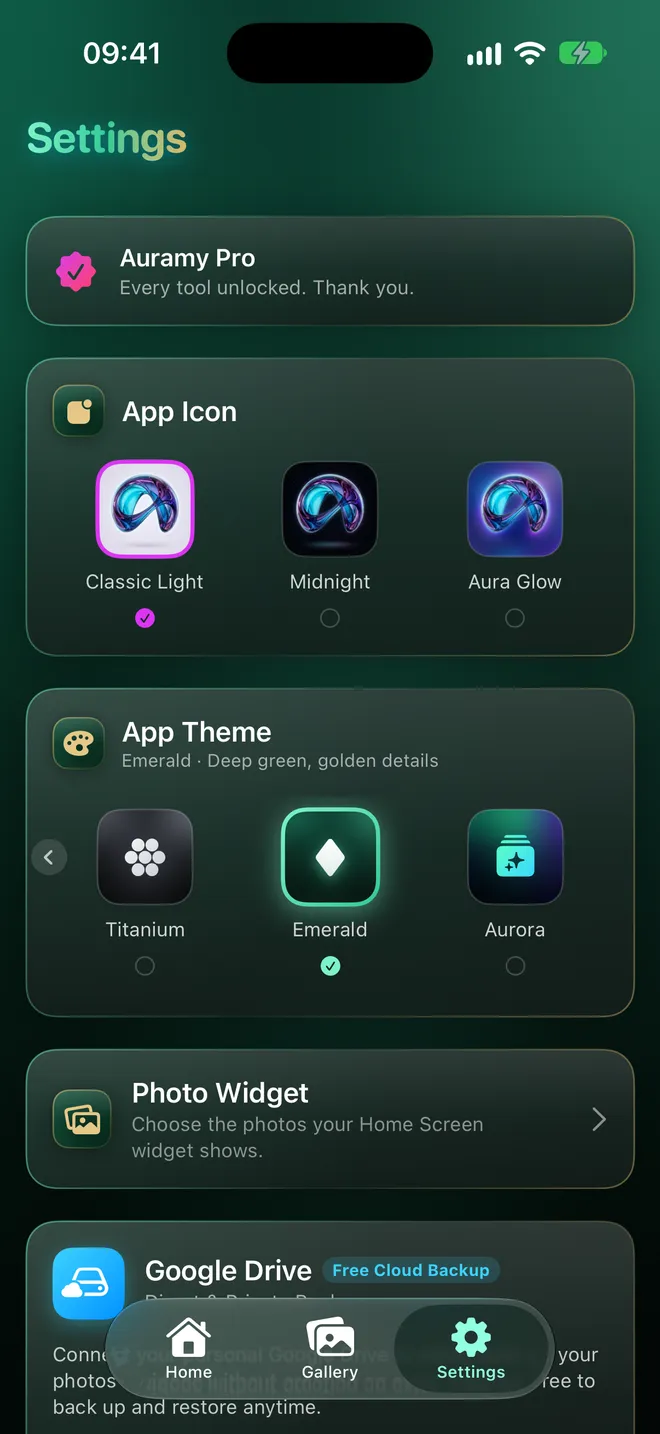
Titanium, Emerald and Aurora restyle every screen, down to the icons.
Know your storage
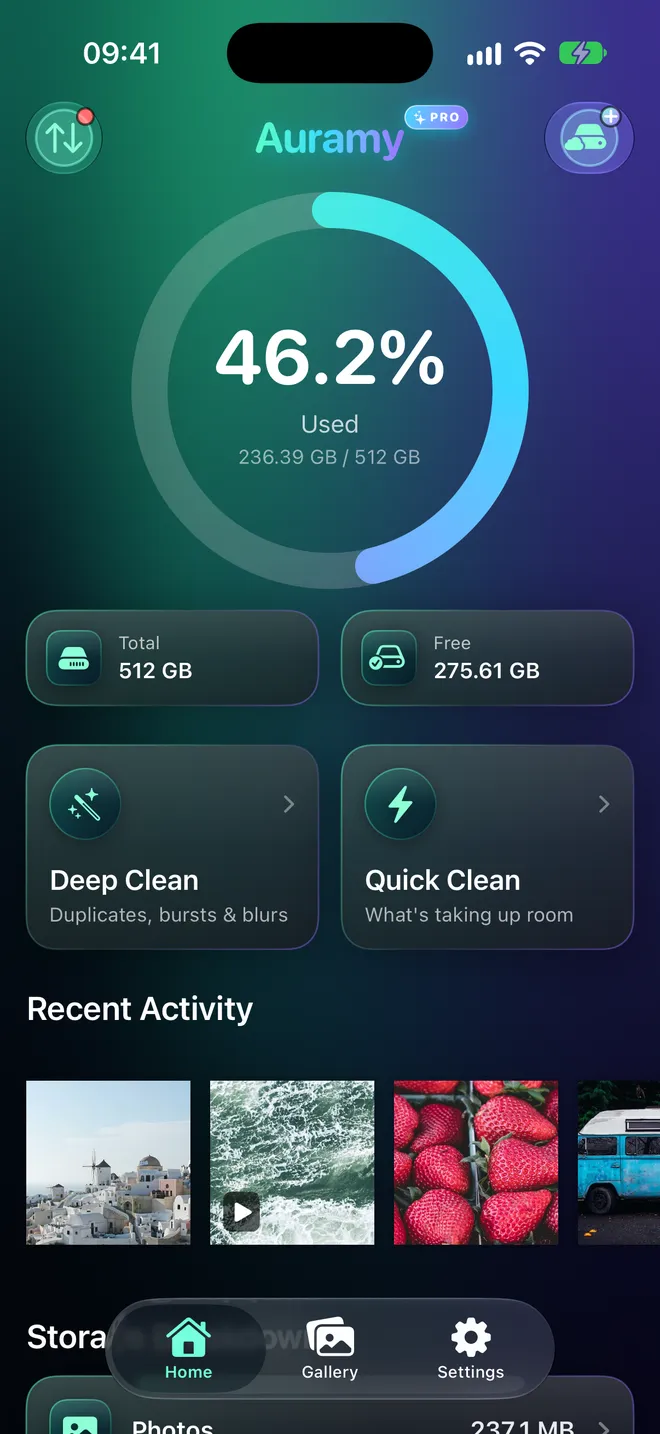
One ring for what is used and what is left, then a breakdown by camera photos, videos, screenshots and downloads — with the real size of every file, which Photos never shows you.
- Sort by size, date or type
- Search with words like “selfie 2024”, “>100mb” or “last week”
- On This Day memories on Home
Share with any phone, in full quality
Nearby sharing sends originals straight from one phone to another, iPhone or Android. On the same Wi-Fi it finds the other phone by itself; without one, scan a code and the two connect directly.
- Original files — Live Photos and Motion Photos included
- No internet and no account needed
- Remove location before sending, if you like
- Free, with no limit
No Wi-Fi? Scan and send
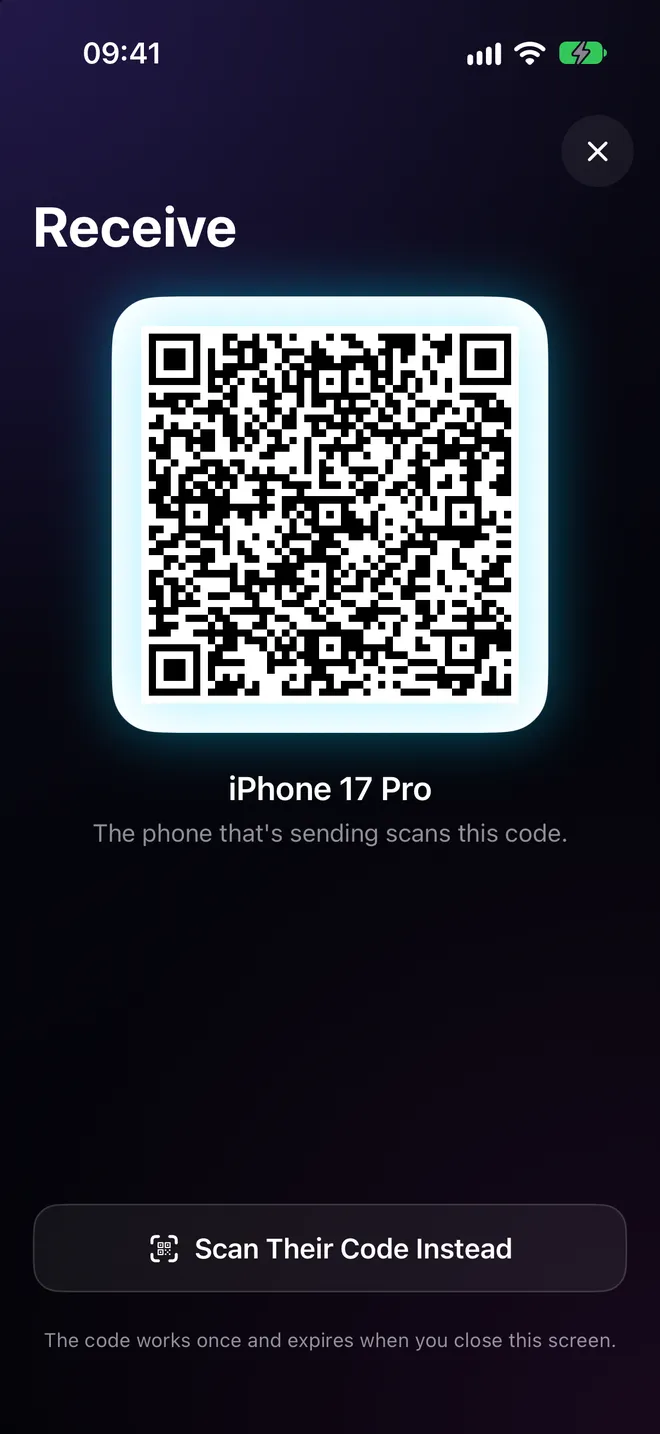
The receiving phone shows a code; the sending phone scans it and the transfer starts — at Wi-Fi speeds, with no network around. For someone far away, share a 7-day link from your own Google Drive instead.
- Works between iPhone and Android
- A link opens in Auramy, or in any browser
- Stop sharing a link at any time
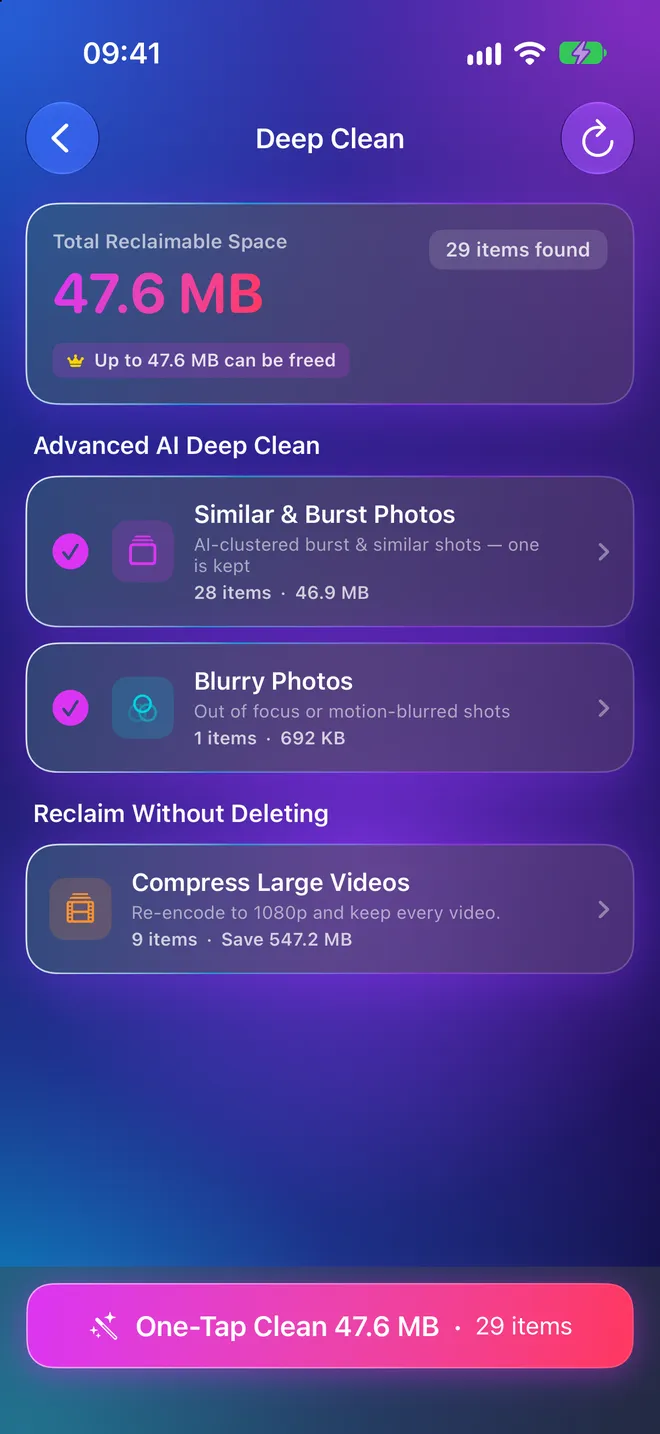
Clear the clutter in one tap
Deep Clean finds exact duplicates, near-identical bursts, blurry and accidental shots, and screenshots you are done with — one-time codes, used tickets — and keeps the best shot of each burst.
- See everything before anything is deleted
- Favourites are never touched
- Deletions stay recoverable for 30 days
- Exact duplicates are free to clear
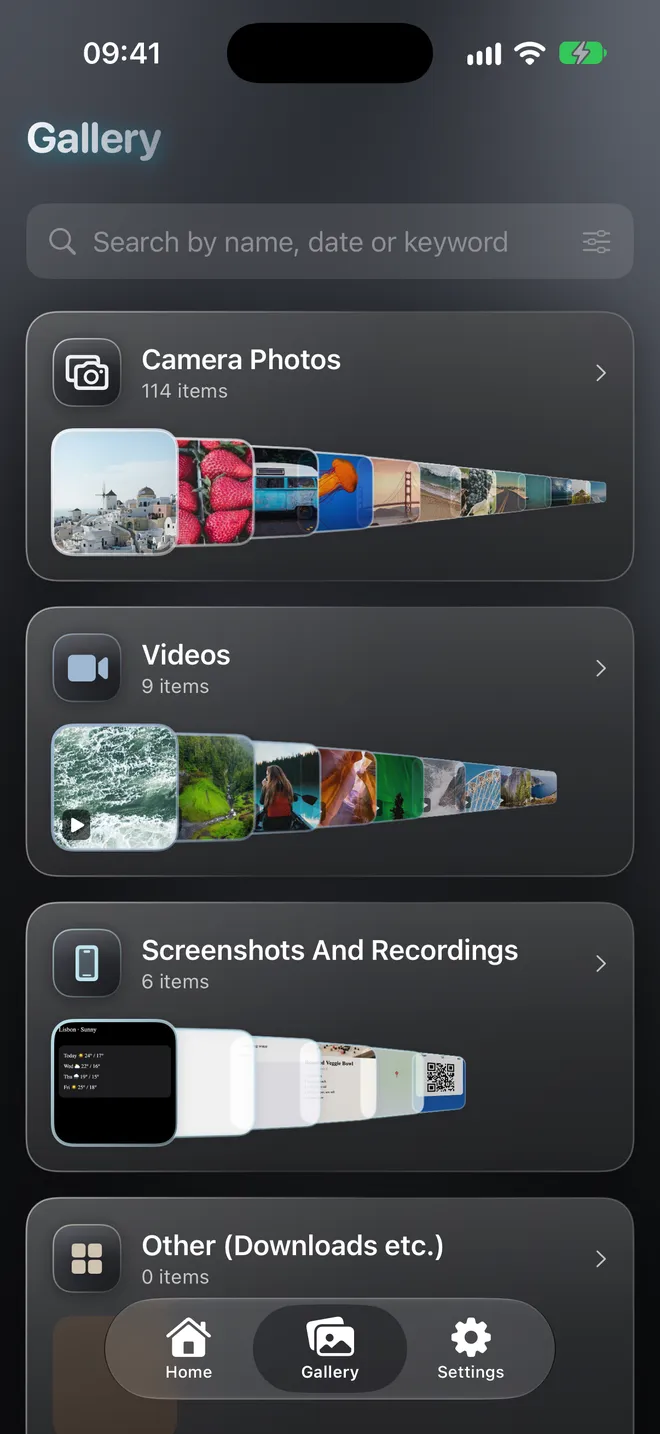
A gallery that stays out of the way
Camera photos, videos, screenshots, downloads and Shared with You, each as a plain row you can scroll. Pinch any grid to zoom, just like Photos.
- Photo and video editor built in
- Back up a whole category in one tap
- Private vault behind its own PIN
Six looks, one app
Light and Dark are free. Neon, Titanium, Emerald and Aurora come with Pro and restyle every screen, down to the icons.
And everything else
Back up to your own Google Drive
Back up and restore whenever you want, free. Auramy asks only for the “drive.file” permission, so it sees nothing in your Drive but the files it created.
Free up space safely
Remove from your phone what is already safe in Drive — only what has a verified copy.
Shrink videos, keep the memory
Re-encode 4K clips to 1080p with their date and location intact. A result that isn't meaningfully smaller is thrown away.
Restore to a new phone
Connect the same account and Auramy brings back what your backup has and the phone doesn't.
Widgets and shortcuts
Storage and photo widgets, Shortcuts and Control Centre on iPhone, Quick Settings tiles on Android.
Locked when you want it
An optional Face ID or fingerprint lock on the whole app.
Free, and Auramy Pro
Free, for good
- Gallery, search and storage breakdown
- Nearby sharing and share links
- Duplicate and cleanup scans
- Backup on demand and restore from Drive
- Photo and video editors
- Widgets, shortcuts and app lock
- Light and Dark themes
Auramy Pro
Pay once for life, or subscribe yearly
- Deep Clean in one tap
- Unlimited bulk delete (free: 10 at a time)
- Video compression
- Original-quality backup — ProRAW, 48 MP, 4K
- Automatic background backup
- Drive folders by category, year and month
- Neon, Titanium, Emerald and Aurora themes
- Alternate app icons
Turning a Pro feature off is never locked, so a lapsed subscription can never strand a backup.
Your photos stay yours
No analytics, no crash reporting, no ads and no Auramy account. Nothing about you or your library is sent to the developer.
Scanning, duplicate detection and focus checks run on your phone. Nearby sharing goes phone to phone; share links and backups live in your Google Drive.
Read the full privacy policy.
Make room for what matters.
Free on iPhone, iPad and Android.